
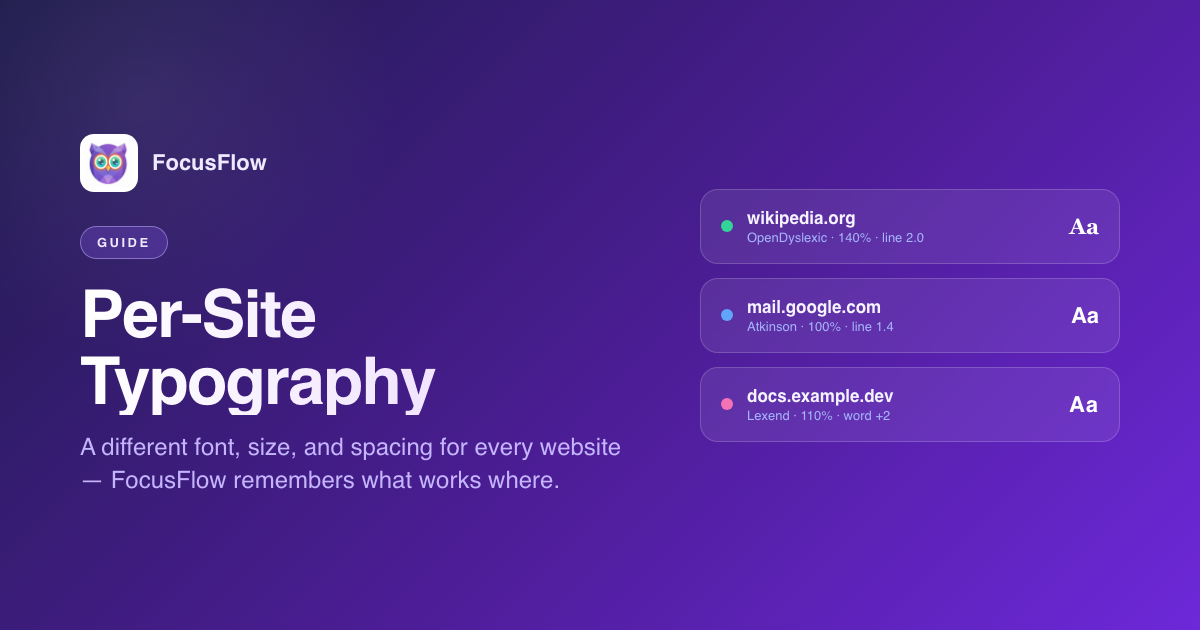
Here's a small experiment. Open five tabs: a Wikipedia article, your email inbox, a technical documentation page, a newsletter, and a long-form blog post.
Look at them side by side. They're written for five different audiences, using five different layouts, at five different sizes, in five different fonts. The idea that one typography setup could possibly be right for all of them is, when you stop to think about it, a little silly.
This is exactly the problem FocusFlow v2.6 set out to fix. The answer was Per-Site Typography — and it's quickly become the feature we reach for most.
The Core Idea
Per-site typography is simple to explain: every website you visit gets to remember its own setup.
Change the font on Wikipedia? That change stays on Wikipedia. Crank the size up on your favorite Substack? That change lives there. Open an entirely different site in a new tab and FocusFlow serves up its own settings — or the clean global defaults if you've never touched it before.
You set it once. FocusFlow remembers forever.
How the Hierarchy Works
Under the hood, v2.6 uses a two-tier system to decide what to show you on any given page:
- Global Typography — the baseline that applies to any site you haven't specifically tuned. This is what you edit whenever you open the sidebar on a fresh page.
- Per-Site Overrides — the settings you've saved against a specific hostname. Whenever that site loads, FocusFlow restores exactly those settings instead of the global baseline.
Open a page and FocusFlow checks whether that hostname has its own overrides. If it does, those get applied. If it doesn't, the global typography takes over.
It's the same mental model as CSS cascading, just applied to your reading experience.
Setting Up Your First Per-Site Override
- Visit a site you read often — a news site, a documentation page, whatever.
- Open the FocusFlow popup and click Advanced Settings to reveal the sidebar.
- Jump to the Typography tab. Pick a font, nudge the size, adjust spacing until the page feels comfortable.
- Head over to the More tab, find Site Settings, and tap Save for this site.
That's it. Every time you return to that site, FocusFlow quietly restores the setup.
Changed your mind and want to start over? The More tab also has a Reset Typography button that wipes every typography value FocusFlow has stored locally — global baseline and per-site overrides alike — and takes you back to a clean slate.
When to Use Per-Site Overrides
Over the past few weeks testing v2.6, we've fallen into a few patterns worth stealing:
- Long-form reading sites (news, Substack, Medium, Wikipedia): bigger font, taller line height, Bionic Reading on. Deep comfort.
- Email and chat apps (Gmail, Outlook, Slack in the browser): keep the size modest so the interface stays compact, but swap in Atkinson Hyperlegible so names and links stay readable.
- Documentation and code: Lexend at 110%, extra word spacing. Enough room to parse without blowing out the layout.
- Dense apps (banking, spreadsheets, admin dashboards): Compact profile at 90%, everything tight.
The point isn't to use any specific combination. The point is that you don't have to pick just one.
Want the Same Setup Everywhere? Apply for All Sites
If one of those per-site setups is so good you want it everywhere — even on sites where you've previously saved different overrides — FocusFlow has a button for that. In the More tab, under Site Settings, tap Apply for All Sites.
Heads up: this is the nuclear option. It takes your current typography and pushes it to every site at once, overwriting every per-site override you've saved. It's the right call when you've landed on a setup you truly love and want a clean consistent experience, but be intentional about it — the overrides you wiped don't come back.
If you change your mind later, the Reset Typography button clears every typography value FocusFlow has stored locally and drops you back to a blank slate.
Everything Is Local
One thing we want to say loud and clear: none of this is transmitted anywhere. Your per-site setups, your global defaults, your list of tuned domains — all of it lives in the local storage of your browser, on your device. FocusFlow never sends any of it to us or anyone else. Your reading preferences are yours.
If you want the full story on privacy, we've written about it here: Privacy-First Accessibility: How FocusFlow Keeps Your Data 100% Private.
Try It
Per-site typography is live now in FocusFlow v2.6. If you haven't updated yet, Chrome should pick the new version up automatically. If you're new to FocusFlow, it's free.
Install FocusFlow Free on Chrome
Curious about everything else that's new? Read the full v2.6 release notes or take A Tour of the New FocusFlow Sidebar.